
[NOTE: See the accompanying article that describes how to use this sheet: Connecting the Dots: How to Build a Central Student Data Dashboard in Google Sheets]
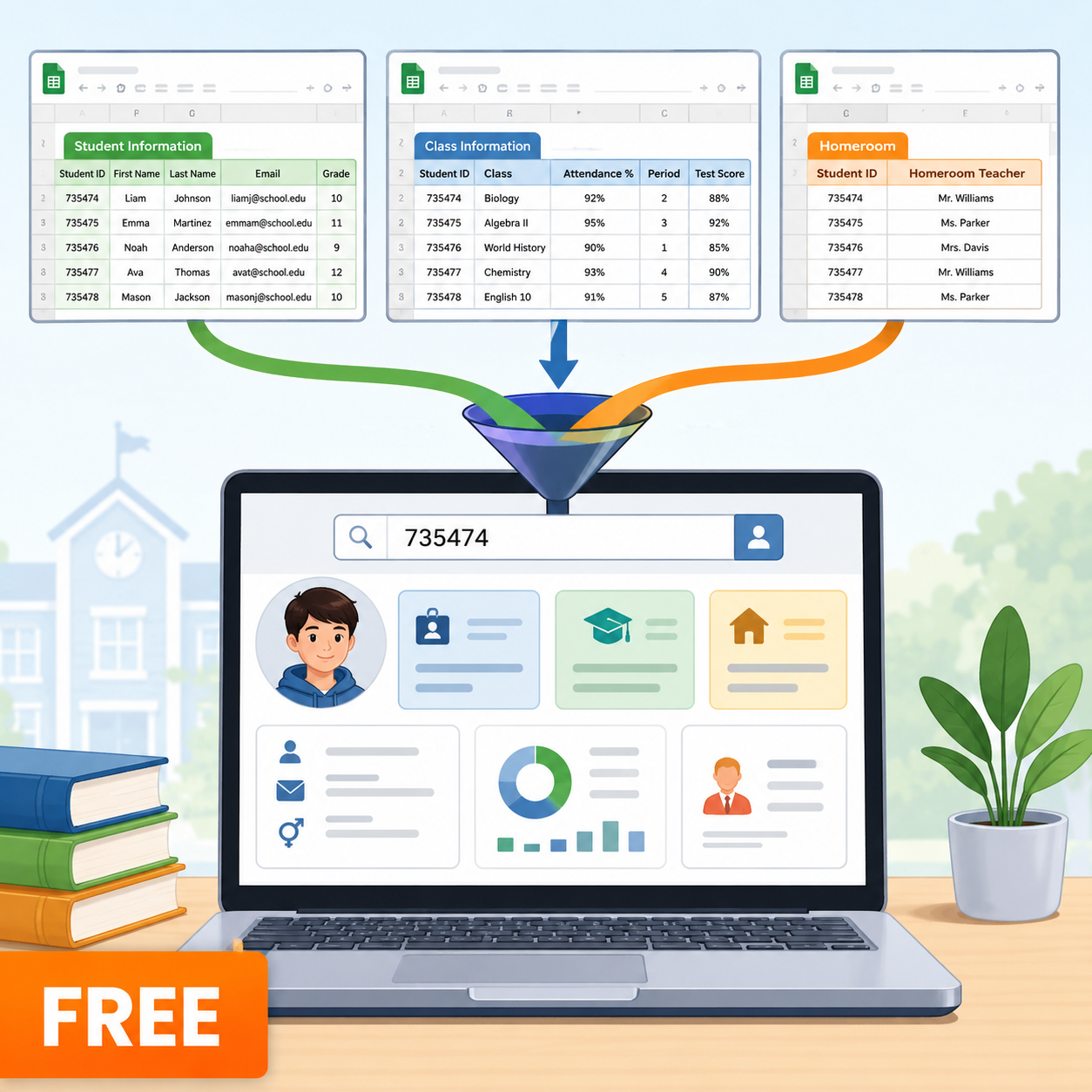
Student data is almost never in one neat place—attendance lives in one file, test scores in another, and homeroom rosters in a third. Manually toggling between tabs and copy-pasting entries leads to endless errors and lost time.
This free Google Sheets proof-of-concept template transforms your workflow by demonstrating how to use a standard Student ID as a primary lookup key—turning Google Sheets into a secure, dynamic relational database.
Key Features & Capabilities:
- Cross-Workbook Syncing: Utilizes native IMPORTRANGE functions to automatically pull incoming data across separate Google Drive files without manual exports.
- Dynamic Student Search Dashboard: Features pre-configured formulas that update live the instant a Student ID is entered into the search bar.
- Modern Lookup Formulas: Demonstrates practical implementation of XLOOKUP for clean data matching and fallback error handling (“No match” instead of #N/A).
- Custom Column Reordering: Employs CHOOSECOLS to extract, rearrange, and display specific data columns on the fly.
What’s Included in Your Free Download:
- Master Search Dashboard Sheet: Fully functional Google Sheets template pre-built with all underlying dashboard and receiver formulas.
- Force-Copy Source Data Links: Includes direct access links to generate your own private sandbox copies of the three separate underlying files (Student Information, Class Information, and Homeroom Assignments).
- Step-by-Step Instructions: Built-in guidance for establishing secure IMPORTRANGE permissions across your personal or school Google Drive account.



Reviews
There are no reviews yet.